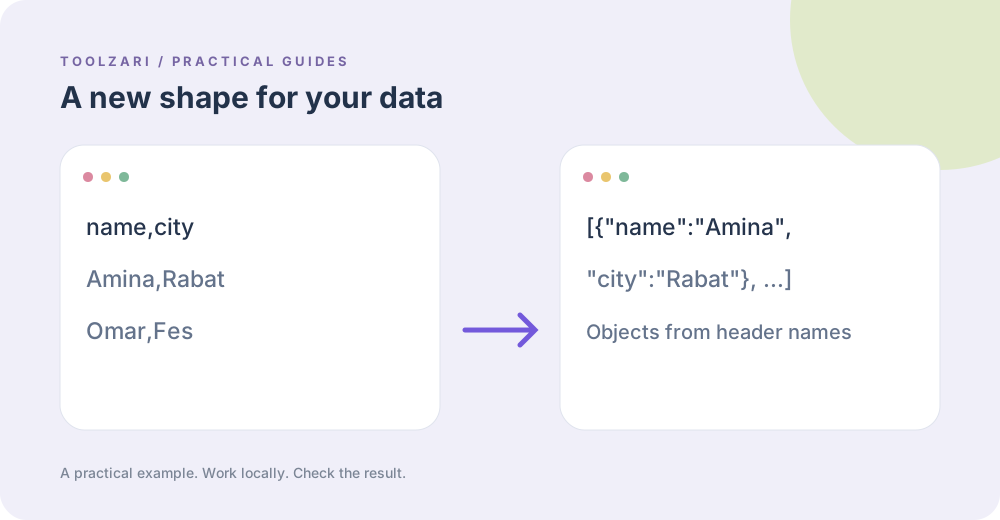
Understand the shape
A CSV table has ordered columns and rows. JSON can represent objects and nested arrays. A simple CSV to JSON converter usually uses the first CSV row as property names and returns an array of objects. Text such as 00123 stays text unless you explicitly convert it; automatic number guessing can destroy leading zeros.
Convert and verify
Paste a CSV sample into CSV to JSON Converter, then check that headers are unique and each record has the expected fields. For a JSON array of objects, JSON to CSV Converter creates a combined set of keys and leaves missing cells empty. Try a row containing a comma or quotation mark to confirm the CSV quoting remains intact.
Handle exceptions
Nested JSON values are serialized inside a CSV cell, not transformed into relational tables. Duplicate CSV headers are ambiguous when mapped to object keys. Confirm the output with a small fixture before processing real records. Remove duplicate rows first if your goal is one record per key.
Keep a safe copy
Save input and output under separate filenames. The conversion happens in your tab; it does not provide a persistent backup or a data validation workflow.
A small worked example
The CSV rows name,postcode and Amina,00100 become a JSON array with an object whose name is “Amina” and postcode is the string “00100”. Keeping it as text protects the leading zeros. Converting back should produce the same column names and cell content, but may use different CSV quoting or line endings. Compare parsed values rather than raw bytes.
Tools used in this guide
- CSV to JSON Converter — Convert CSV or TSV rows into JSON objects with instant output.
- JSON to CSV Converter — Convert JSON arrays of objects into CSV rows for spreadsheets.
- CSV Deduplicator — Remove duplicate CSV records by row or header.