Decide if regex is necessary
If you need to replace one fixed phrase, Find and Replace Text is easier to review. Use a regular expression when the pattern varies, such as a word followed by digits. Regex symbols have special meaning: a period matches almost any character, while an escaped period matches a literal dot.
Inspect the matches
Try Regex Tester with a small sample such as code-12 and code-345. Check whether your proposed pattern matches the complete values or only fragments. Test upper and lower case, punctuation, Unicode text and missing values if they matter to your data. A match counter is not a proof that the pattern cannot catch unintended text.
Replace on a copy
Regex Replace accepts source text in the first input; put the pattern on line one of the second input, replacement on line two and flags on line three. The g flag replaces all matches; i makes matching case-insensitive. JavaScript replacement tokens such as $& can refer to the entire match. Keep an untouched original and compare before publishing or importing the result.
Watch performance and scope
The local replacement tool caps source text at 100,000 characters and the pattern at 200 characters, but a poorly designed pattern can still take excessive time. Avoid processing untrusted huge inputs with nested backtracking patterns. Errors in regular-expression syntax are shown instead of returning a partially modified result.
Example to check
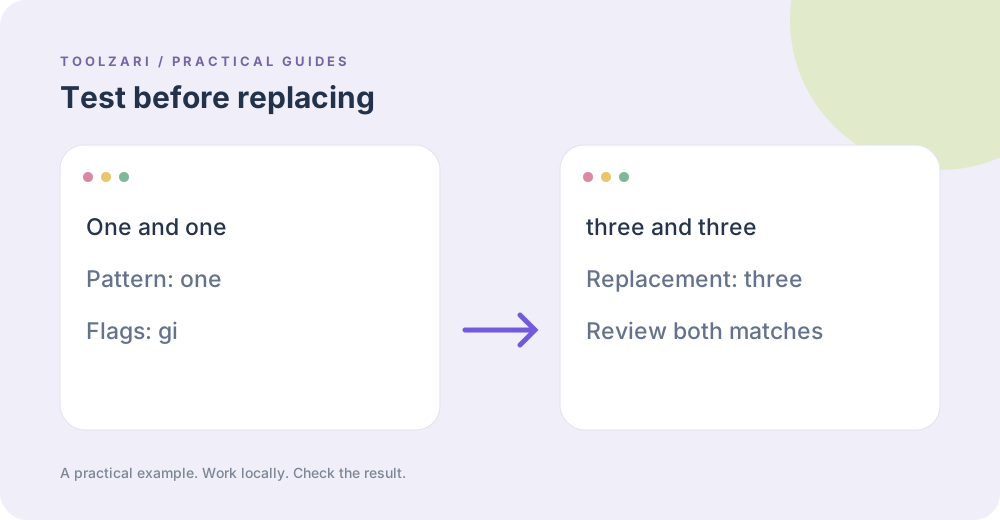
For input One and one, pattern one, replacement three and flags gi, the expected output is three and three. Then try flags g only: the capitalized One should stay. This quick comparison shows exactly which option changes case behavior.
Tools used in this guide
- Regex Tester — Test regular expressions with live matches and flag controls.
- Regex Replace — Replace text using a JavaScript regular expression.
- Find and Replace Text — Replace literal text throughout an input.